
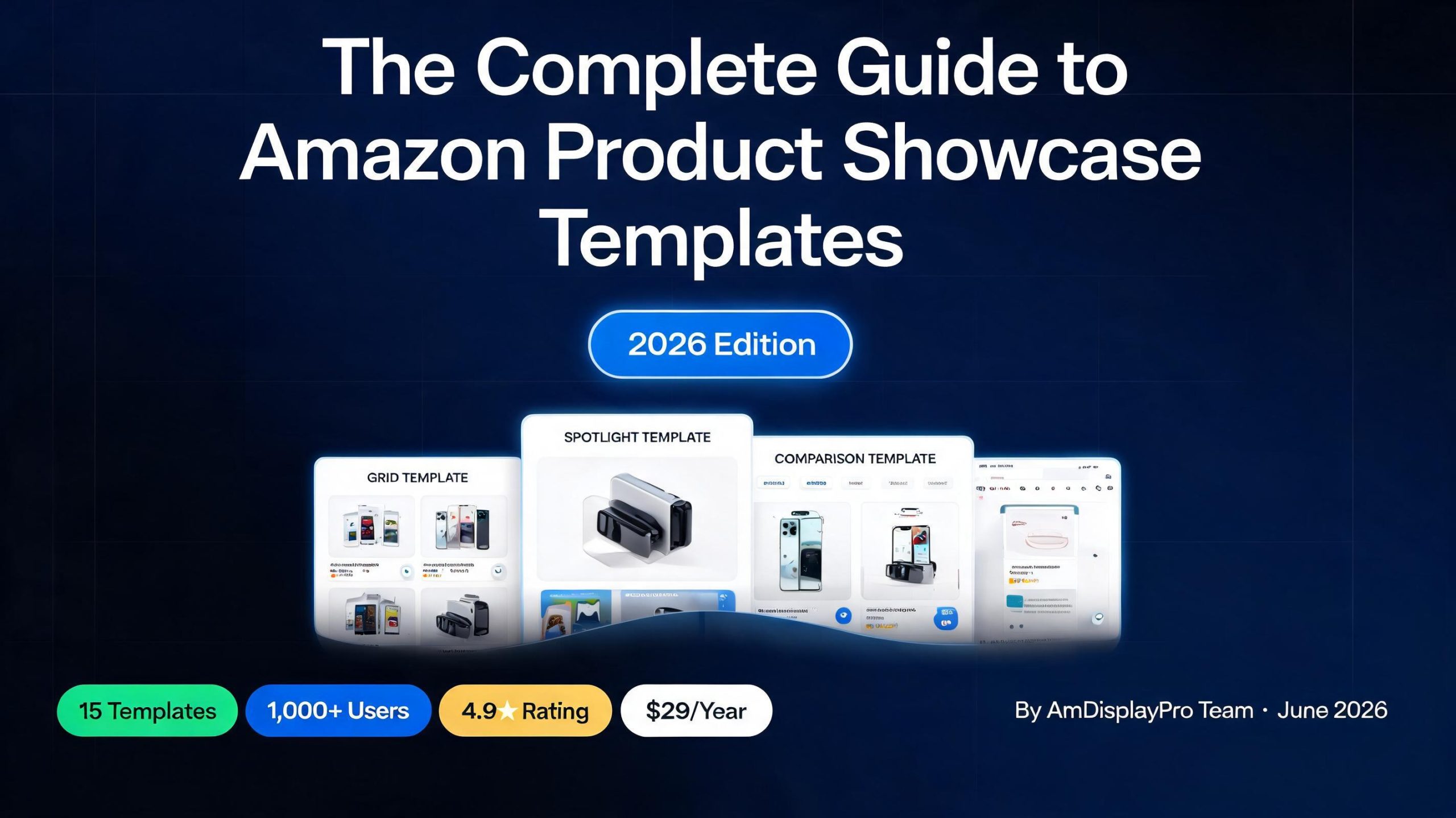
The Best Amazon Product Showcase Templates for WordPress (2026)
If you’re an Amazon affiliate using WordPress, you know that how you display a product is just as important as which product you’re promoting. A generic text link or a poorly formatted image simply doesn’t cut it when you’re competing for a visitor’s attention and click. That’s where a dedicated Amazon product showcase plugin comes in, and more specifically, the power of choosing the right template for the right job.
This guide will walk you through the different templates available in the AmDisplayPro plugin, explaining what each one is best used for so you can maximize your conversions and create a more professional, trustworthy site. With the right Amazon product showcase plugin, you can turn casual browsers into committed buyers.
Why a Dedicated Amazon Product Showcase Plugin Matters for Affiliates
Before diving into the specific options, it’s worth understanding why templates are so crucial. A good template does more than just look nice; it serves a specific purpose in your content strategy. For instance, a template designed for a detailed review will prioritize features and ratings, while a template for a product roundup needs to be compact and scannable.
Using an Amazon product showcase plugin with a variety of templates allows you to match the display to the context, making your content more engaging and effective. The right plugin doesn’t just display a product; it becomes a conversion tool that guides your reader toward making a purchase. While many plugins offer basic display functionality, they often lack the flexibility and specialized layouts that can truly enhance your site’s user experience.
If you’re curious about how the Amazon Creators API powers these templates, check out our guide on setting up the Amazon Creators API in WordPress. For a broader comparison, see how AmDisplayPro stacks up against other popular Amazon affiliate plugins.
Quick Reference: Best Template For Each Use Case
Here’s a handy cheat sheet for choosing the right template:
| Use Case | Best Template | Why |
|---|---|---|
| In-depth product review | Box Template | Complete information in one place |
| Product roundup (“Best of”) | Space Saver | Compact and scannable |
| Sidebar widget | Compact Template | Minimal space, high impact |
| Side-by-side comparison | Comparison Card | Easy to compare specs |
| Featured product (hero) | Spotlight Template | Grabs attention immediately |
| Inline blog recommendation | Micro Review | Fits inside a paragraph |
| Mobile-first pages | Mobile Card | Optimized for small screens |
| Promoting sales & discounts | Price Drop | Highlights savings and urgency |
| Premium/high-ticket products | Showcase | Premium feel with floating elements |
| Technical products & specs | Spec Sheet | Clear table layout for data |
| Product galleries & catalogs | Quick View | Popup-style preview without leaving page |
| Flash sales & daily deals | Deal Hunter | Countdown timer and coupon code |
| Award-winning/certified products | Award Winner | Builds trust with badges and seals |
| Product lists & quick recommendations | Simple Template | Clean, modern, no-frills design |
| Search results & category pages | List View | Horizontal row for quick scanning |
The AmDisplayPro Template Library: A Detailed Breakdown
AmDisplayPro comes packed with a range of templates, each optimized for different layouts and purposes. Let’s break down each one and see where it shines.
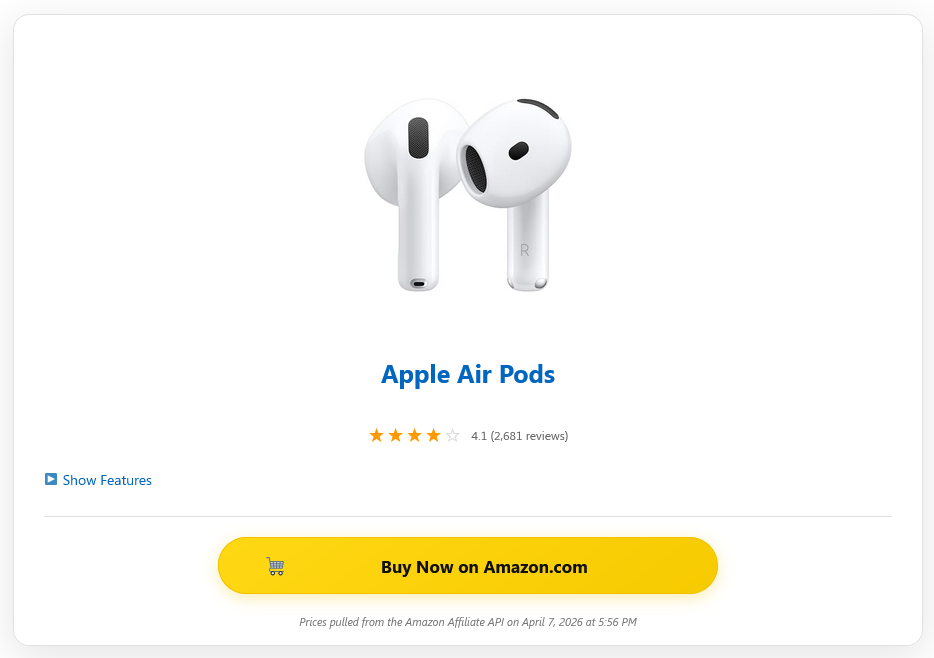
📦 Box Template ALL PLANS
The Box Template is the workhorse of the library. It provides a full, classic product display with image, title, rating, features, and price – everything a potential buyer needs to make an informed decision. It’s a great all-rounder that provides a complete overview of the product. This template works best when you want to dedicate a significant portion of your content to a single product.

📏 Compact Template ALL PLANS
The Compact Template is a minimalist design perfect for when you want to promote a product without taking up too much real estate. It strips away unnecessary elements, focusing on the core essentials – the product image, title, and price. This template is ideal for sidebars, widgets, or any area where screen space is at a premium, making it a favorite for affiliate marketers who want to integrate product recommendations naturally.
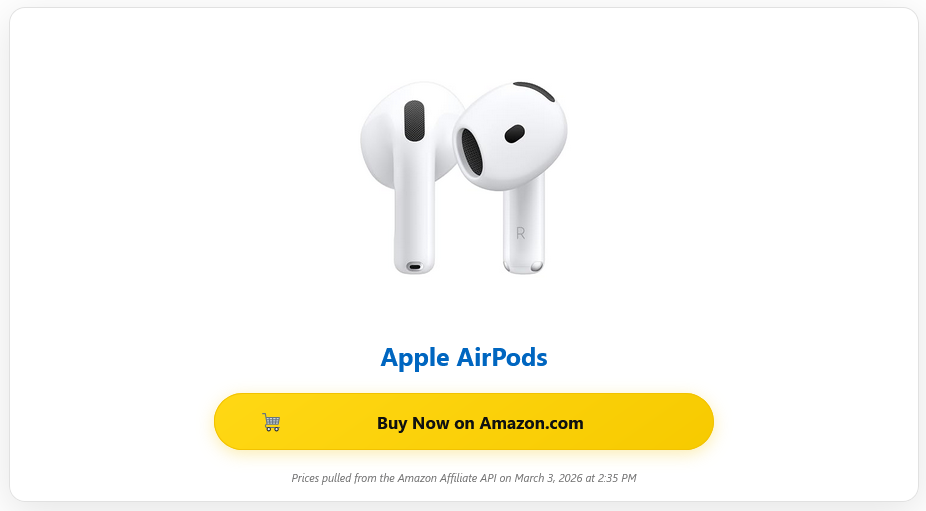
✨ Simple Template ALL PLANS
The Simple Template offers a clean and modern design that focuses primarily on the product image and price. It’s best for when you want a clean, uncluttered look that doesn’t overwhelm the reader. This template works particularly well in product roundups where you’re showcasing multiple items and want to maintain a consistent, visually appealing layout.
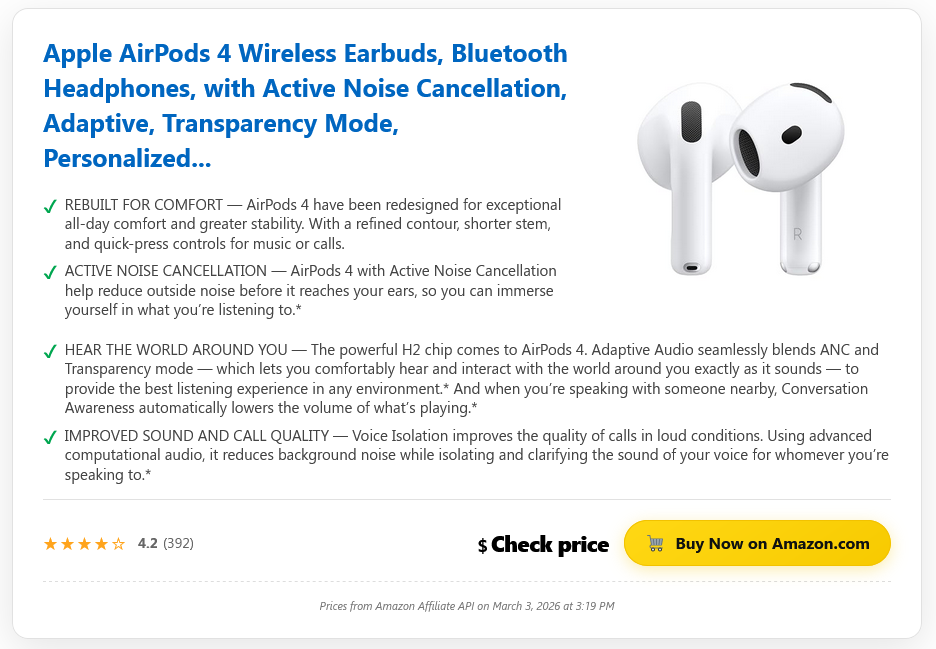
💨 Space Saver ALL PLANS
The Space Saver Template packs maximum information – like title, price, and a short feature – into a minimal space, making it perfect for posts that feature multiple products. If you’re creating a “Best Of” list or a product roundup, this template is your best friend. It allows you to showcase multiple products in a compact format, giving readers a quick overview of each option without overwhelming them with information.
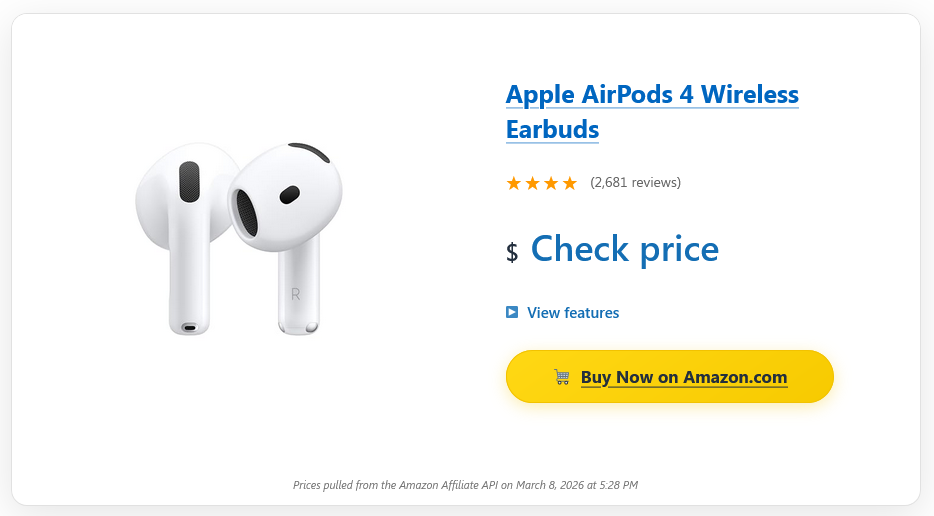
🔦 Spotlight Template ALL PLANS
The Spotlight Template is a hero-style display with a split layout that gives your main product a prominent, visually appealing showcase. It’s designed to grab attention and make a strong impression. This template is perfect for featured products or main recommendations, such as a “Product of the Week” section or a homepage highlight.
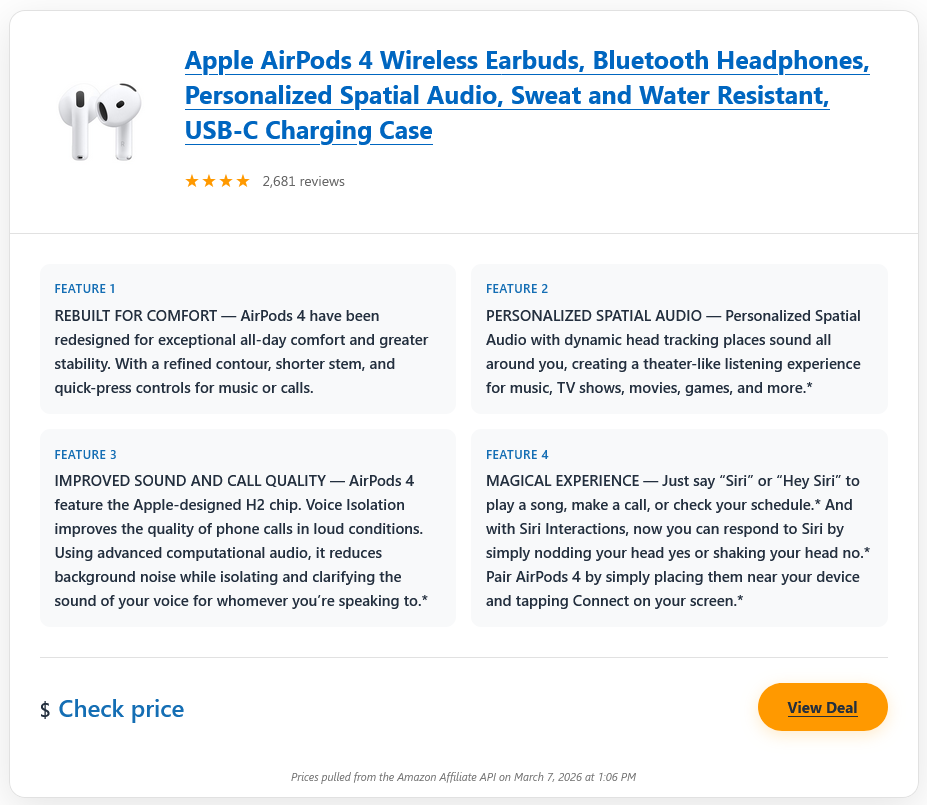
⚖️ Comparison Card ALL PLANS
The Comparison Card is a grid layout designed specifically for displaying technical specs, making it easy for readers to compare multiple products at a glance. When you’re writing a comparison post, this template allows you to present the key specs side by side in a clean, organized grid, helping readers see the differences and make an informed decision.
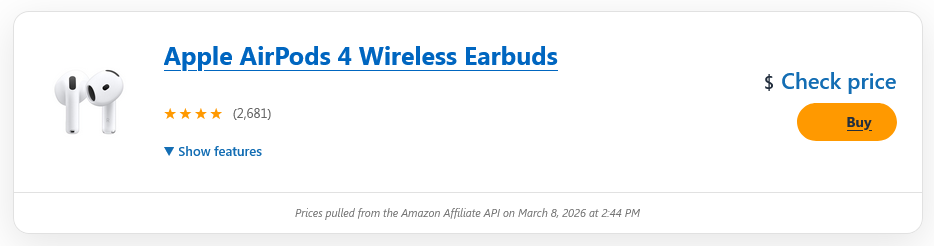
📋 List View ALL PLANS
The List View is a horizontal product row format that is scannable, making it ideal for when users are browsing through a list of options. It presents products in a horizontal row with the image on the left and details on the right, mimicking the familiar e-commerce experience. This template is perfect for large collections of products where quick scanning is essential.
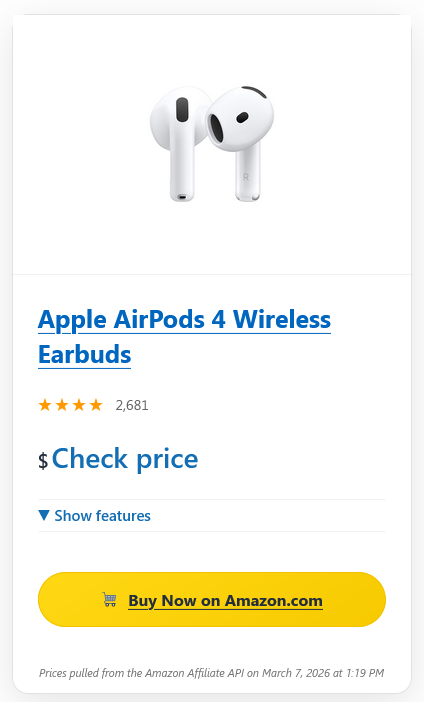
📱 Mobile Card ALL PLANS
The Mobile Card is a stacked, mobile-optimized design that ensures a seamless experience for visitors on smaller screens. With mobile traffic accounting for a significant portion of web visits, having a template that’s optimized for mobile is crucial. The Mobile Card is designed specifically for this purpose, with a layout that adapts to smaller screens and touch-friendly buttons.
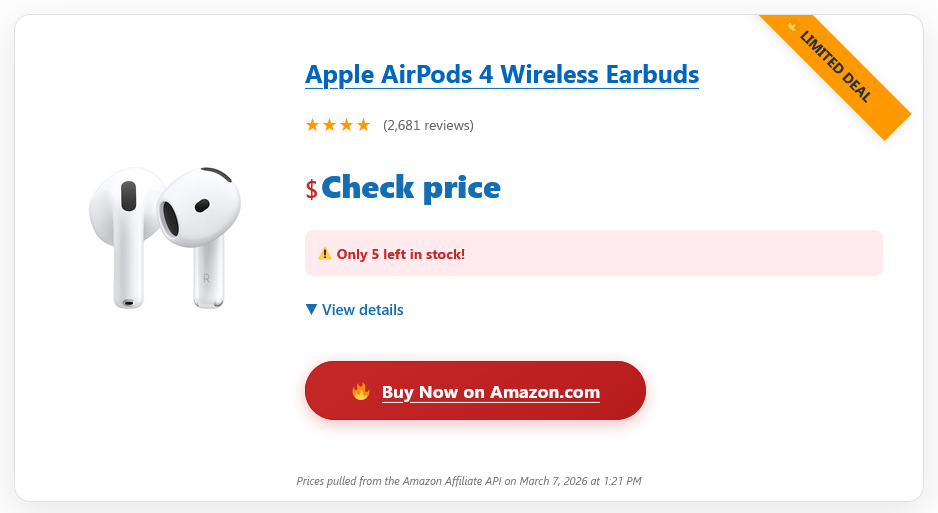
🏷️ Price Drop ALL PLANS
The Price Drop is a sale-focused design that highlights savings with prominent badges and urgency cues to encourage immediate clicks. If you’re promoting a product that’s on sale or has a limited-time discount, this template is ideal. It features prominent savings badges, original price strikethrough, and urgency cues like “Limited Stock” to create a sense of urgency.
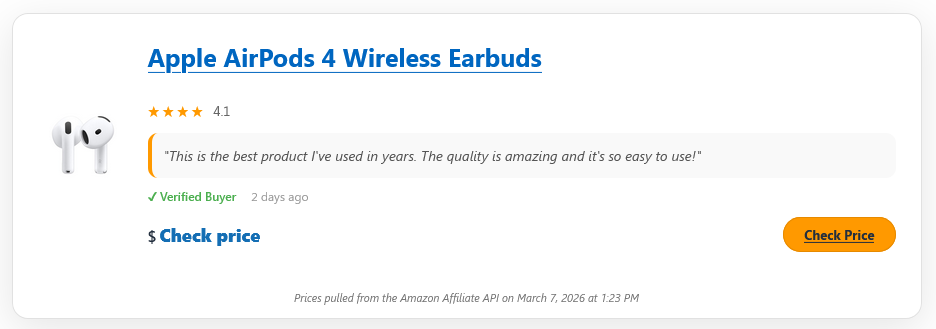
🔬 Micro Review ALL PLANS
The Micro Review is a compact, review-focused display designed to fit seamlessly within a paragraph or blog post, providing a quick rating and verdict. This allows you to integrate affiliate products naturally into your content without breaking the flow. It’s perfect for when you want to include a product recommendation within a blog post without disrupting the reading experience.
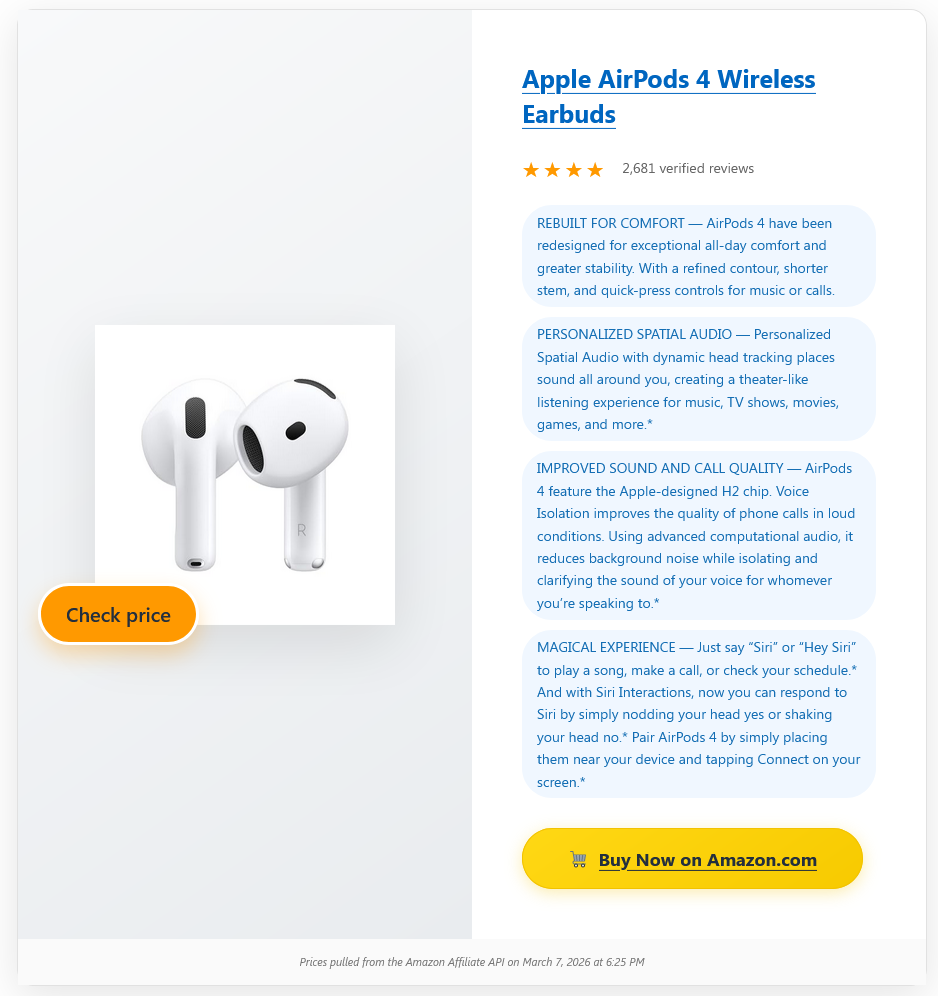
✨ Showcase ALL PLANS
The Showcase template is a premium-looking display with floating elements and a modern design, perfect for when you want to position a product as a top-tier choice. It features modern design elements like floating elements, gradient backgrounds, and an overall premium feel that conveys exclusivity. This template is ideal for luxury products, high-end electronics, or any product you want to position as the best in its category.
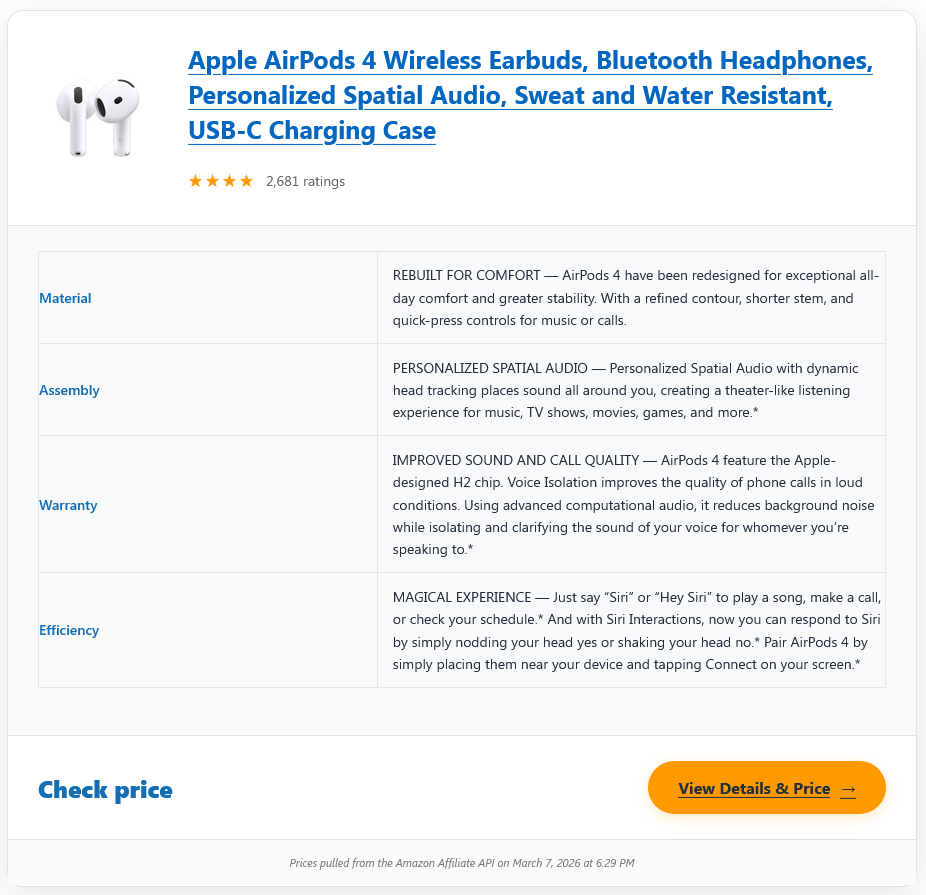
📊 Spec Sheet ALL PLANS
The Spec Sheet is a data-focused design that presents technical specifications and product details in a clear table layout. This is particularly useful for B2B products or any product where technical details are a key selling point. It presents the product’s specs in a clean table format, making it easy for readers to find the information they need.
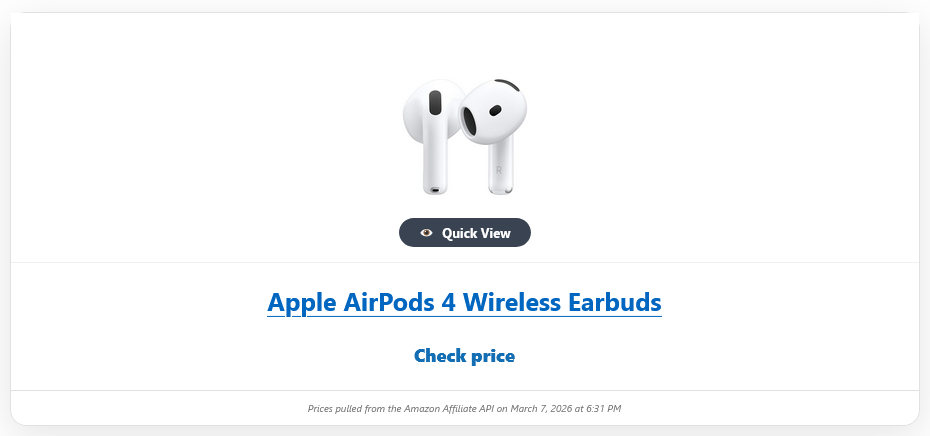
👁️ Quick View ALL PLANS
The Quick View is a popup-style card with expandable details. This is excellent for allowing users to get a quick product overview without navigating away from a gallery or category page, reducing bounce rates and keeping users engaged. It’s particularly effective for product galleries or category pages where users might want to preview products without leaving the page.
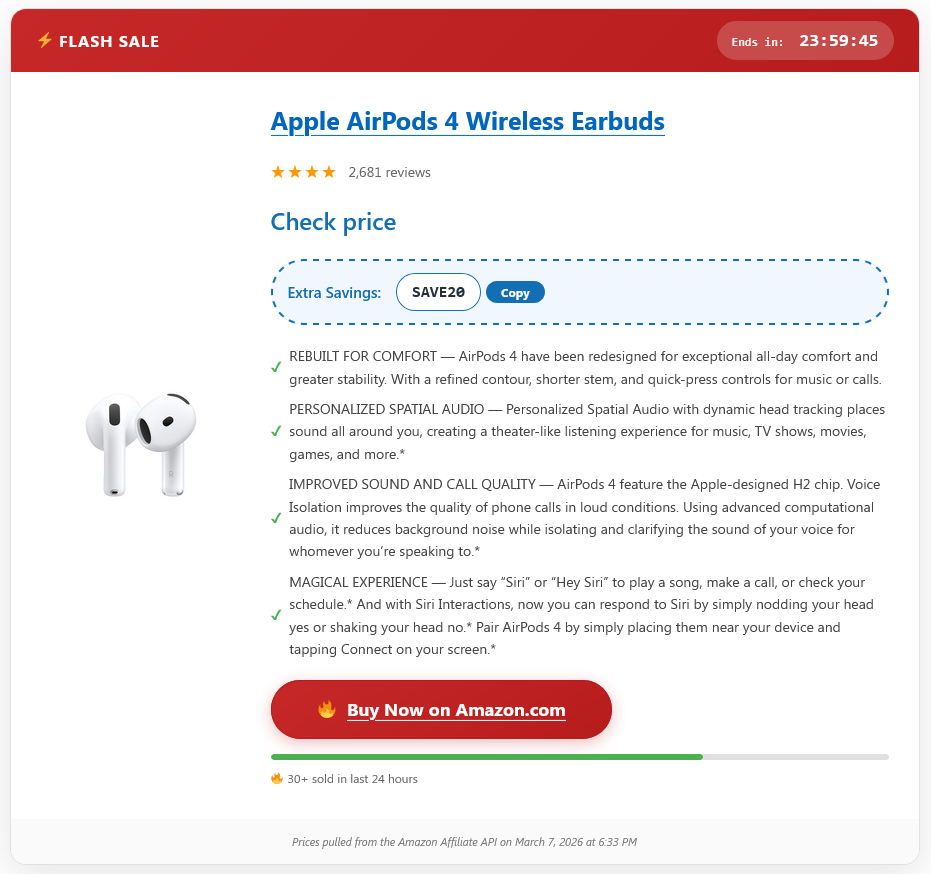
🔥 Deal Hunter ALL PLANS
The Deal Hunter is a flash-sale style template that includes elements like coupon codes and countdown timers to create a sense of urgency. This template is perfect for driving quick conversions and capitalizing on impulse buying behavior. It’s ideal for promoting flash sales, daily deals, or any time-sensitive offer where you want to encourage immediate action.
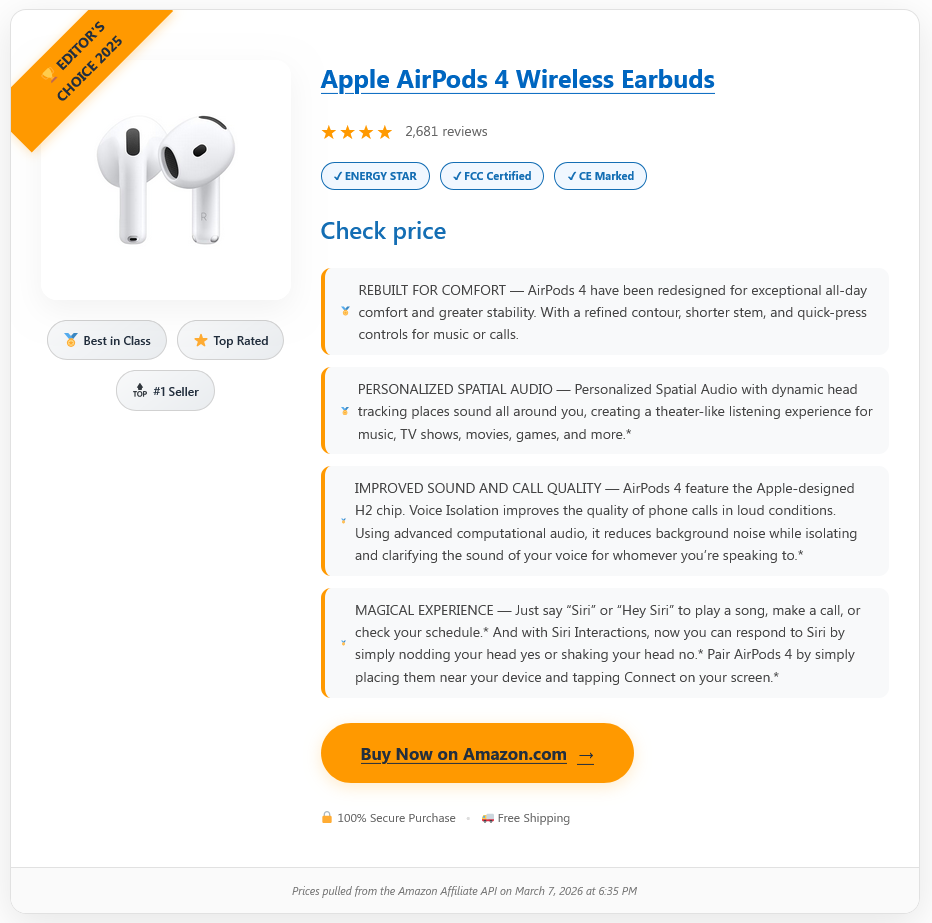
🏆 Award Winner ALL PLANS
The Award Winner is a design focused on awards and certifications, making it perfect for displaying products that have won industry recognition or top ratings. It prominently displays badges, ribbons, and seals of approval, building trust and credibility with your visitors. This template is particularly effective for products in competitive niches where social proof is a key factor in the buying decision.
How to Choose the Right Template
With 15 options available, picking the right template for your content can feel overwhelming. Here’s our quick recommendation guide based on your content type:
- 📝 In-depth reviews: Use the Box Template or Showcase for a comprehensive overview.
- 🛒 Product roundups (“Best of” lists): Use the Space Saver or List View for scannability.
- ⚖️ Comparisons: Use the Comparison Card to present specs side-by-side.
- 📱 Sidebars or widgets: Use the Compact Template to save space.
- 🏷️ Sales and promotions: Use the Price Drop or Deal Hunter to create urgency.
- 🏆 Award-winning products: Use the Award Winner to build trust.
- 📱 Mobile-first pages: Use the Mobile Card for a seamless mobile experience.
Beyond Templates: Key Features of a Quality Showcase Plugin
While templates are crucial, an effective Amazon product showcase plugin offers more than just visual layouts. Here are a few features to look for in a comprehensive solution like AmDisplayPro:
⚡ Dual API Support for Reliability
In the dynamic landscape of Amazon’s affiliate ecosystem, having a plugin that supports both the legacy PA-API 5.0 and the newer Amazon Creators API is essential. A robust solution should offer full compatibility with both, or a seamless fallback, to ensure your product data is always accurate and up-to-date. Many plugins claim “Creator API support” but haven’t fully migrated – we explain the differences here.
🧠 Smart Caching Mechanisms
To optimize your site’s performance and prevent hitting Amazon’s API rate limits, look for a plugin with a smart caching system. This feature temporarily stores product data so that pages load quickly and reduces the number of requests sent to Amazon, making your site faster and more reliable. Google’s Core Web Vitals reward fast-loading pages with better rankings.
🌍 Geolocation and Multi-Region Support
For affiliates targeting a global audience, a plugin that supports multiple Amazon regions (like .com, .co.uk, .de) is invaluable. This ensures that the correct pricing and currency are displayed for international visitors, and it helps comply with different regional affiliate programs. Our users report a 20-30% increase in international sales after enabling this feature.
AmDisplayPro vs. Other Amazon Affiliate Plugins
How does AmDisplayPro compare to other popular Amazon product showcase plugins? Here’s a quick breakdown:
| Feature | AmDisplayPro | AAWP | Lasso |
|---|---|---|---|
| Annual Price | $29–$239 | $101–$150 | $147–$297 |
| Templates | 15 | ~6 | ~10 |
| Geolocation | ✅ Included | ✅ Included | ✅ Included |
| Creators API Support | ✅ Full (2.1, 2.2, 2.3) | ✅ Full | ⚠️ Partial |
| Smart Caching | ✅ Advanced | Basic | Basic |
For a deeper comparison, read our detailed AAWP alternative breakdown.
Pricing and the Creator API (What Changed)
One of the biggest changes with the Creator API is how pricing is handled. The new API uses a dedicated resource called OffersV2 for pricing and availability data. This means more accurate, structured pricing information—but it also means your plugin needs to know how to request and display it properly.
Our templates are designed with this in mind. Clean call-to-action buttons. No outdated prices. Just a clear path for your visitors to check the current price on Amazon.
Shortcode Examples
Here are some examples of how you can use AmDisplayPro to display products:
🎥 Watch the Demo
See AmDisplayPro in action – setup, API configuration, and live product displays.
Our Recommendation
An effective Amazon product showcase plugin provides you with the tools to turn standard affiliate links into compelling, conversion-focused content. Understanding the purpose of each template allows you to create a more professional and trustworthy site that guides your visitors toward making a purchase.
AmDisplayPro’s template library gives you the flexibility to present products in a way that best suits your content, whether that’s an in-depth review, a comparison, or a simple sidebar recommendation. By combining the right template with features like API support and smart caching, you can create a powerful affiliate marketing engine on your WordPress site.
If you’re still using an outdated plugin or relying on basic Amazon links, it’s time to upgrade to a modern Amazon product showcase plugin. Compare our plans and see which one fits your needs.
Questions about AmDisplayPro? Want to see how it works on your site? Drop a comment below – we’d love to help you get started.
📝 Latest from Our Blog Updated Weekly
The Best Amazon Product Showcase Templates for WordPress (2026)
Complete guide to all 15 AmDisplayPro templates. Find the perfect layout for reviews, comparisons, roundups, sidebars, and mobile-first designs.
Amazon Creators API vs PA-API 5.0: What Affiliates Need to Know in 2026
OAuth 2.0 vs AWS Signature. OffersV2 vs old pricing. Regional endpoints explained. Everything you need to migrate before the old API is phased out.
The Best Budget Amazon Affiliate Plugin in 2026 (Only $29/Year)
Why pay $80-$100/year? AmDisplayPro Personal gives you 15 templates, unlimited products, and geolocation for just $29. Full review inside.
Why I Switched from AAWP to AmDisplayPro (And Saved $70/Year)
Real user story: Moving from $101/year AAWP to $29/year AmDisplayPro. Same features, better geolocation, 15 templates, and priority support.
The Best WordPress Plugin for Amazon Creators API (2026 Guide)
Why we built AmDisplayPro from the ground up for OAuth 2.0, OffersV2, and regional endpoints. Clean templates, smart caching, geolocation included.
How to Set Up Amazon Creators API in WordPress (Step-by-Step)
Complete walkthrough: Get your Credential ID, Secret, and configure regional endpoints (2.1 NA, 2.2 EU, 2.3 FE). Works with any plugin.